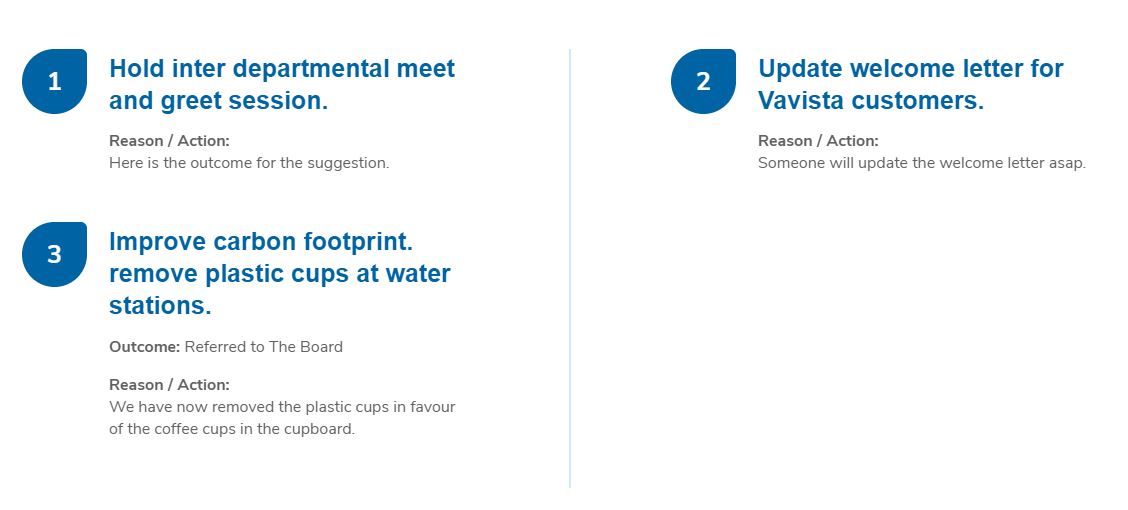
# Suggestion List
A Suggestion List block displays a numbered list of suggestions that have been either:
- set as "To be discussed" and list the latest 4 employee suggestions that are open for voting or,
- set as "Has Outcome" and list the latest 4 employee suggestions that there's an outcome for.
To add a Suggestion List block:
- Add or edit a page that uses the Gutenberg editor (e.g. Page or Post)
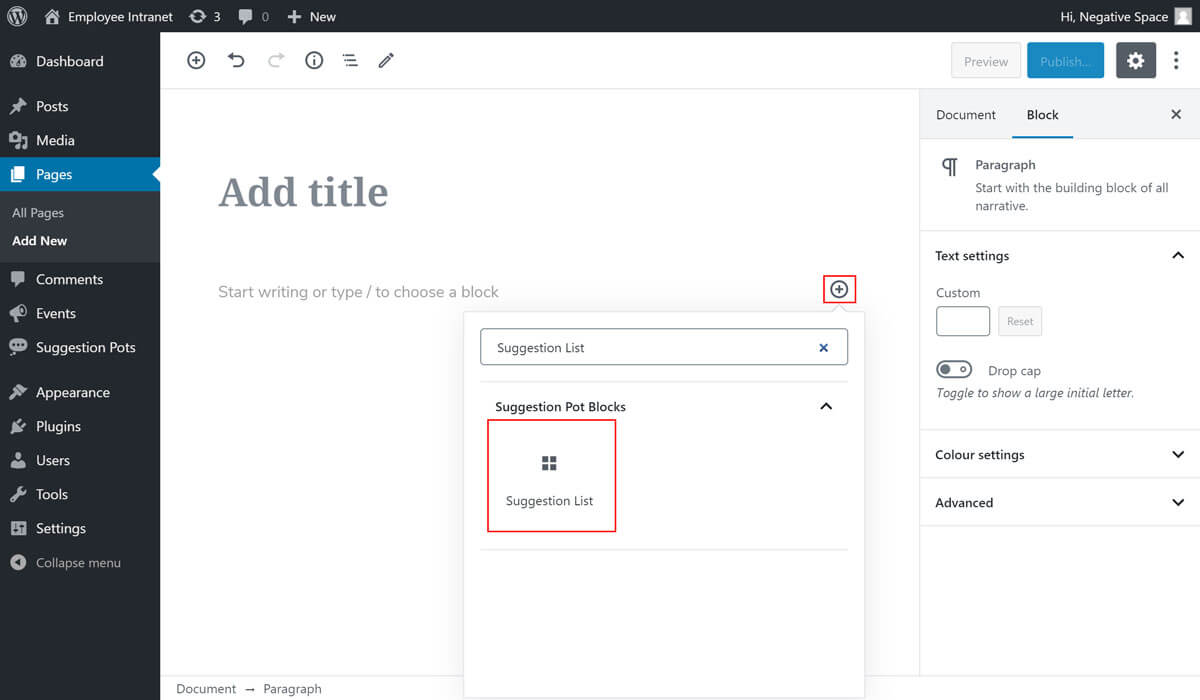
- Click to add a Gutenberg block (more on how to add a Gutenberg block can be found here)
- Find and select the block with the name Suggestion List (highlighted below) and,
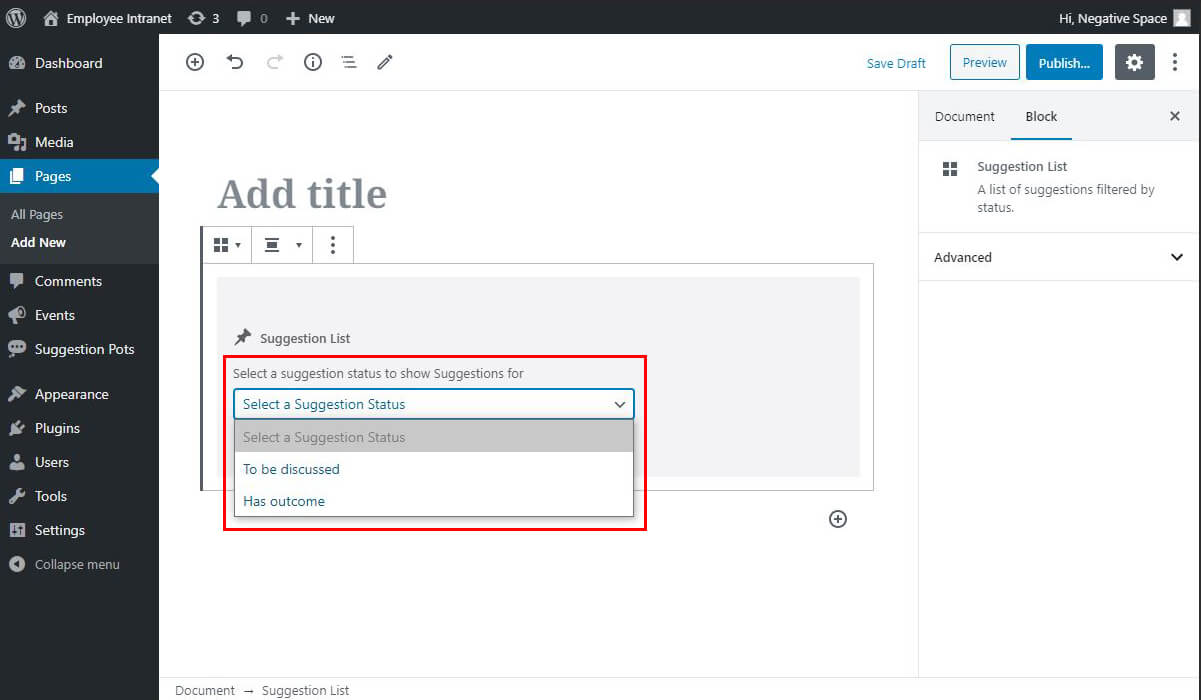
- Select a status to show Suggestions for (highlighted below)
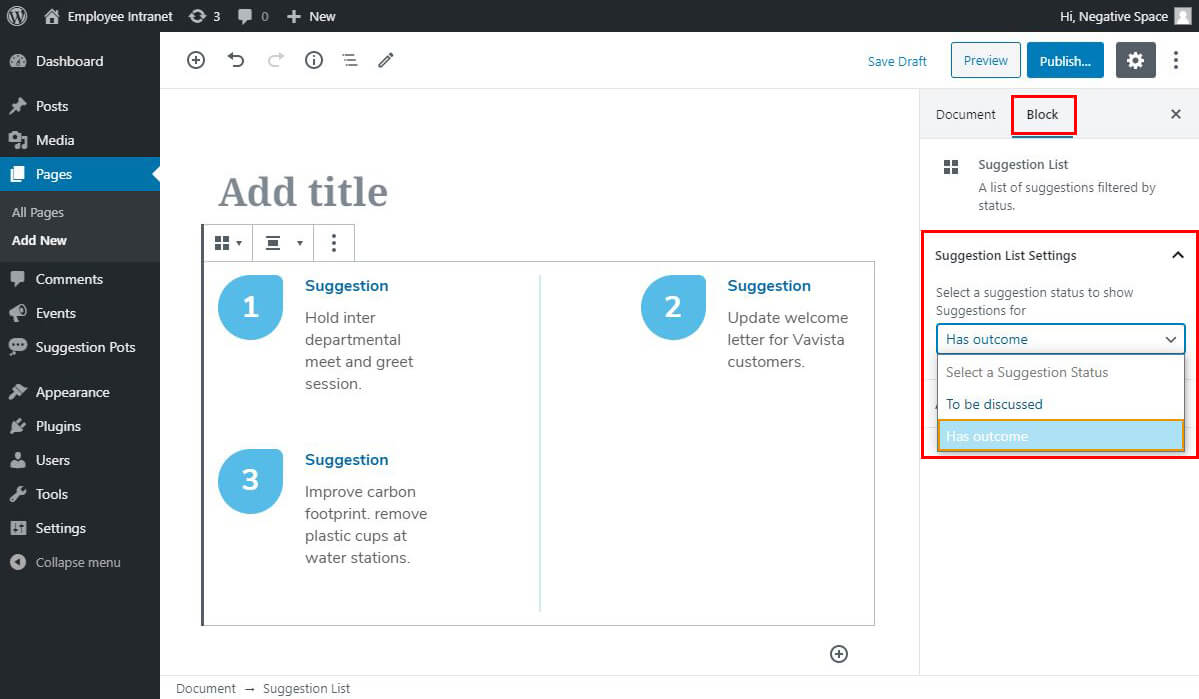
If you ever need to edit the suggestion status, select the Suggestion List block and change the status under Block in the Suggestion List Settings dropdown (highlighted below).
For reference you can see the two Suggestion List blocks below:
- Suggestion List block with the status "To be discussed".
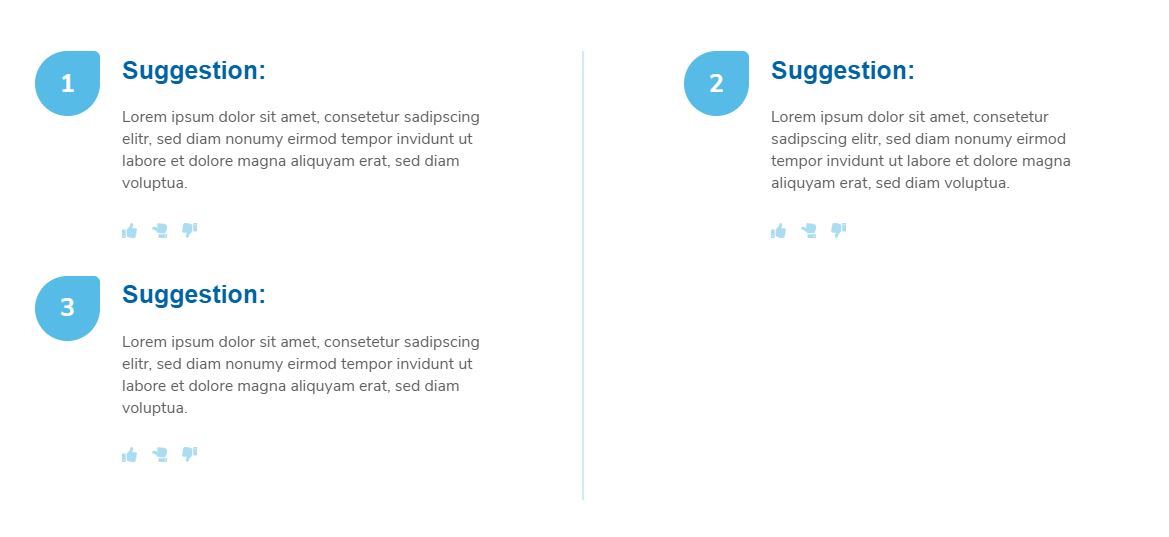
- Suggestion List block with the status "Has outcome".