# Setting a Page URL
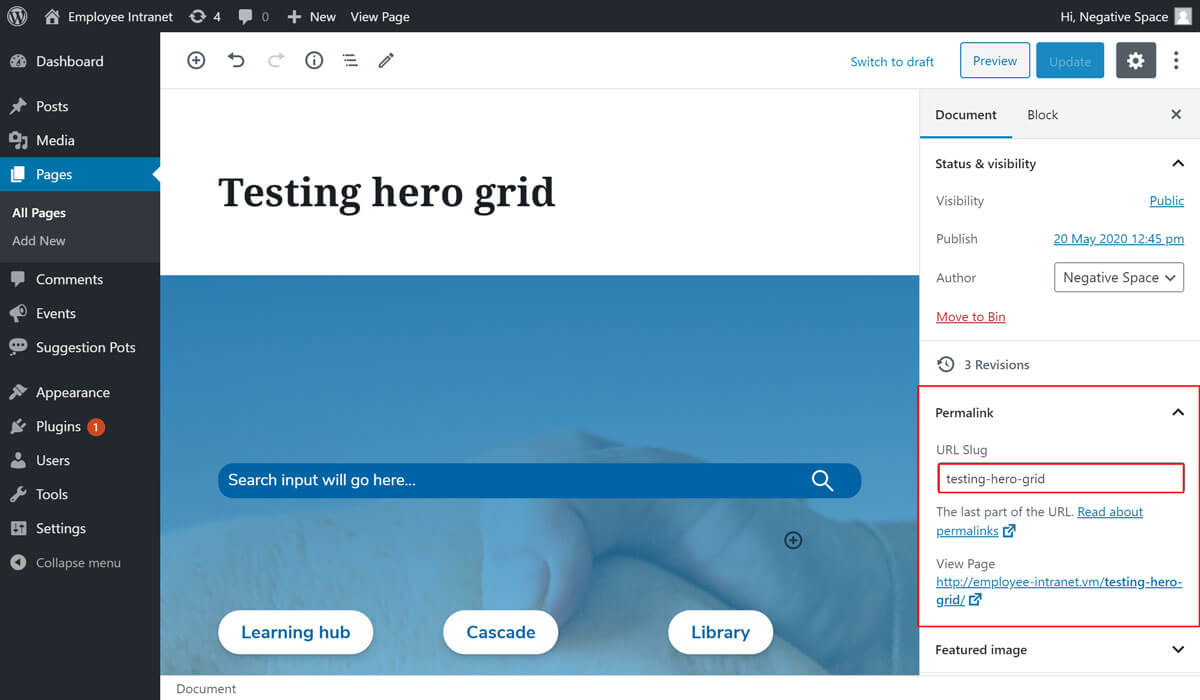
WordPress generates page URL's automatically when a page is published. It does this by taking the page title, replacing upper case letters with lower case equivalents and spaces with hyphens.
To manually set or update a Page URL:
- Add/Edit a Page
- Expand the Permalink dropdown (highlighted below)
- Update the text inside the URL Slug field (highlighted below)
- Click on Update to save your changes