# Adding a page to the main menu
WordPress comes with a menu configuration system that allows you to create navigation menus using your site content.
To access those menus:
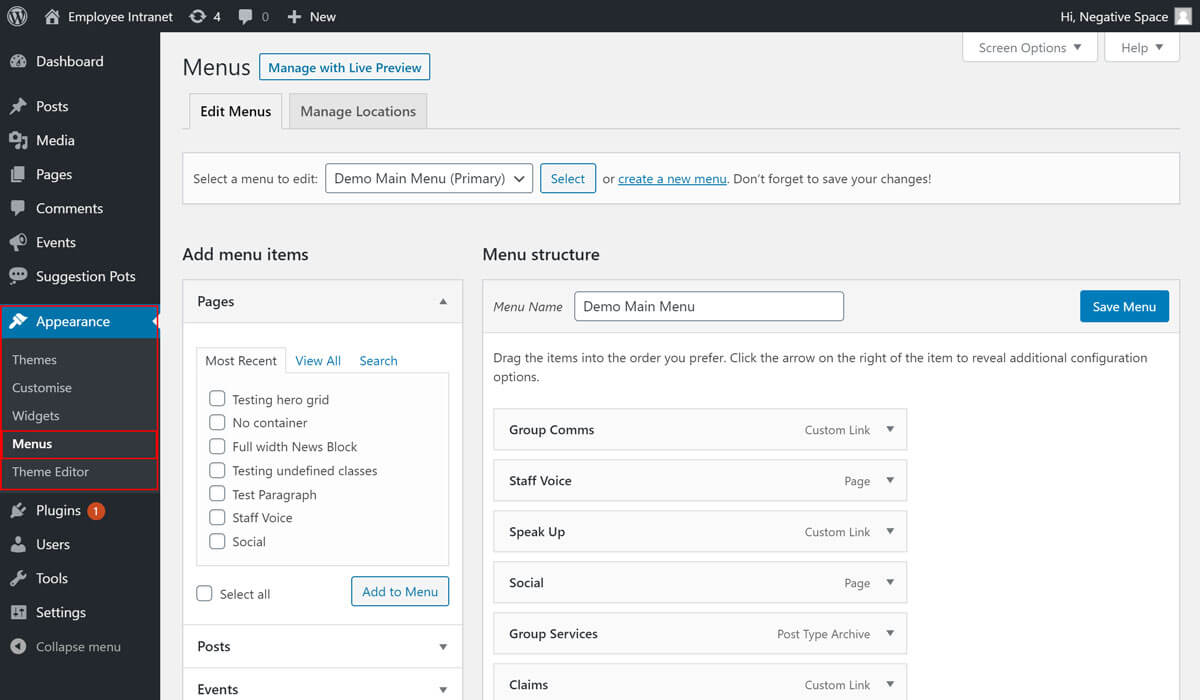
- Click the Appearance tab, and
- Click the Menus sub-tab (highlighted below)
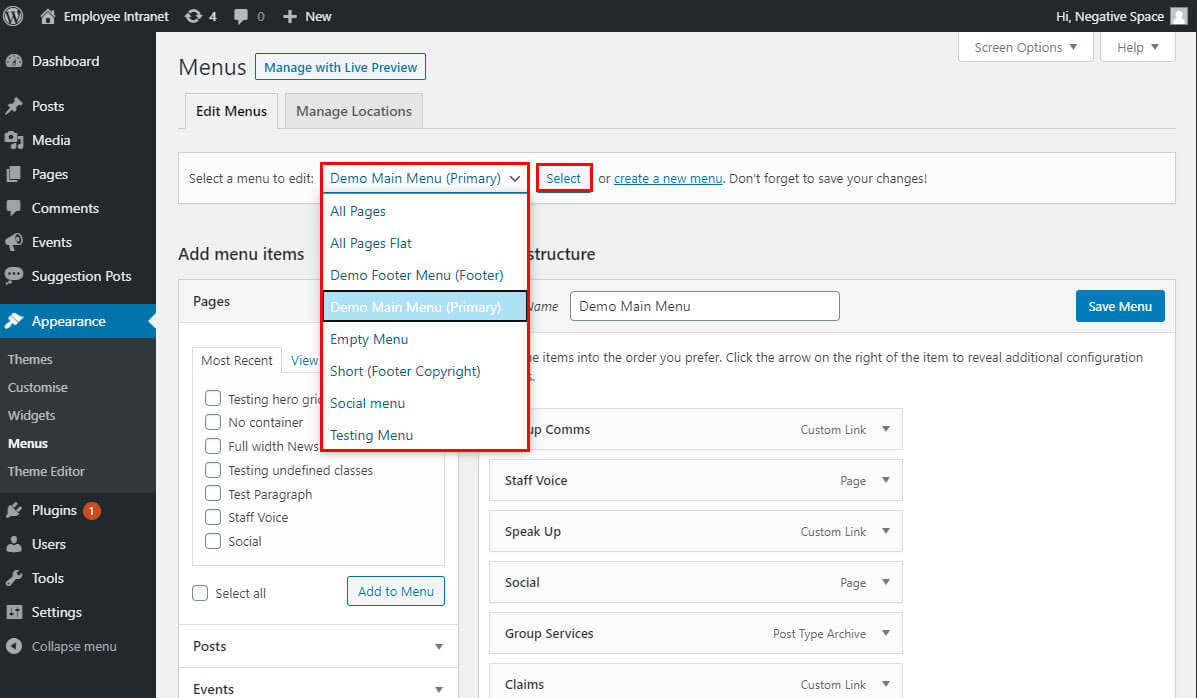
On this configuration page editors can edit each site menu by clicking on the respective menu in the dropdown and then clicking on Select.
At the time of writing this guide, the main navigation that is shown in the header is named Demo Main Menu (Primary) and the menu shown in the footer is named Demo Footer Menu (Footer).
To add a Page to the header navigation:
- Select the Demo Main Menu (Primary) in the Menus configuration page
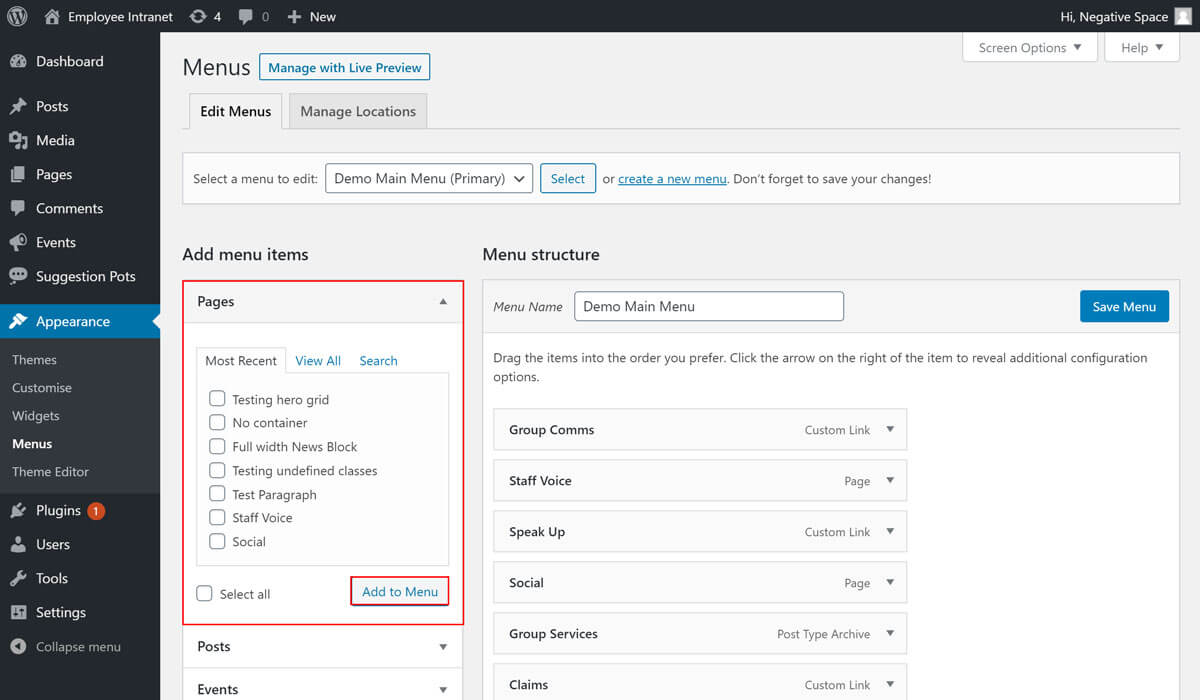
- Find, check and add the page you want to add from the Pages dropdown (highlighted below)
- Change the position of a menu item by dragging and dropping the item to the right position
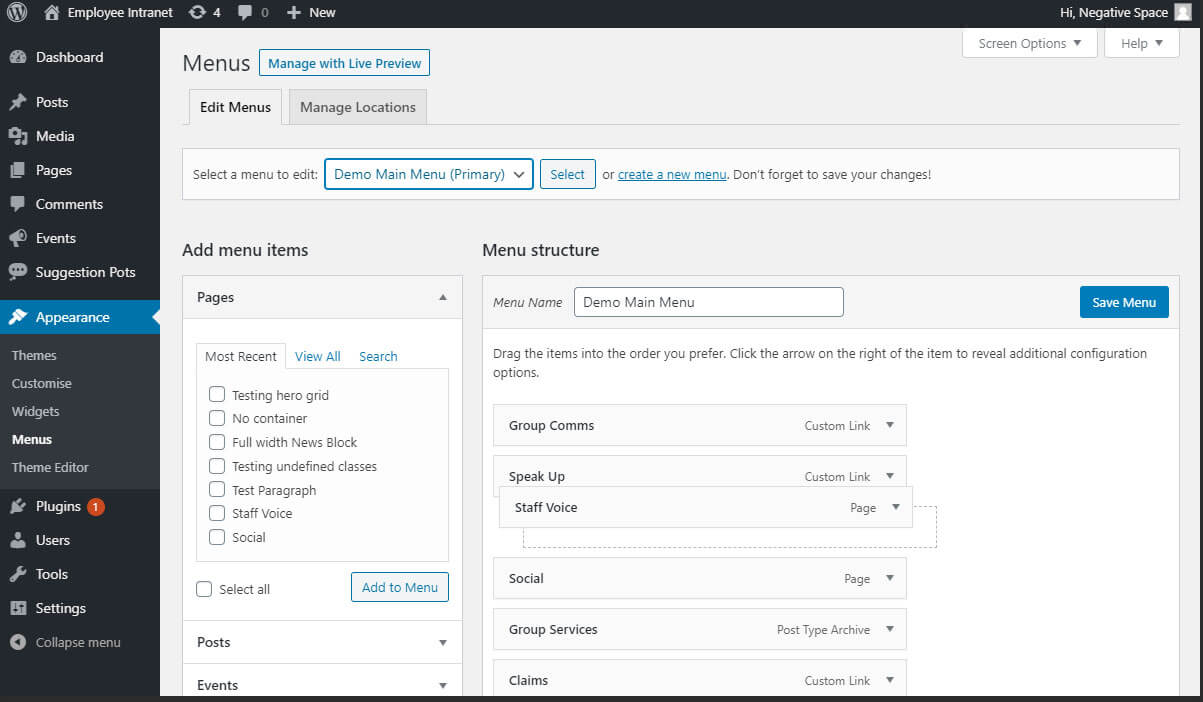
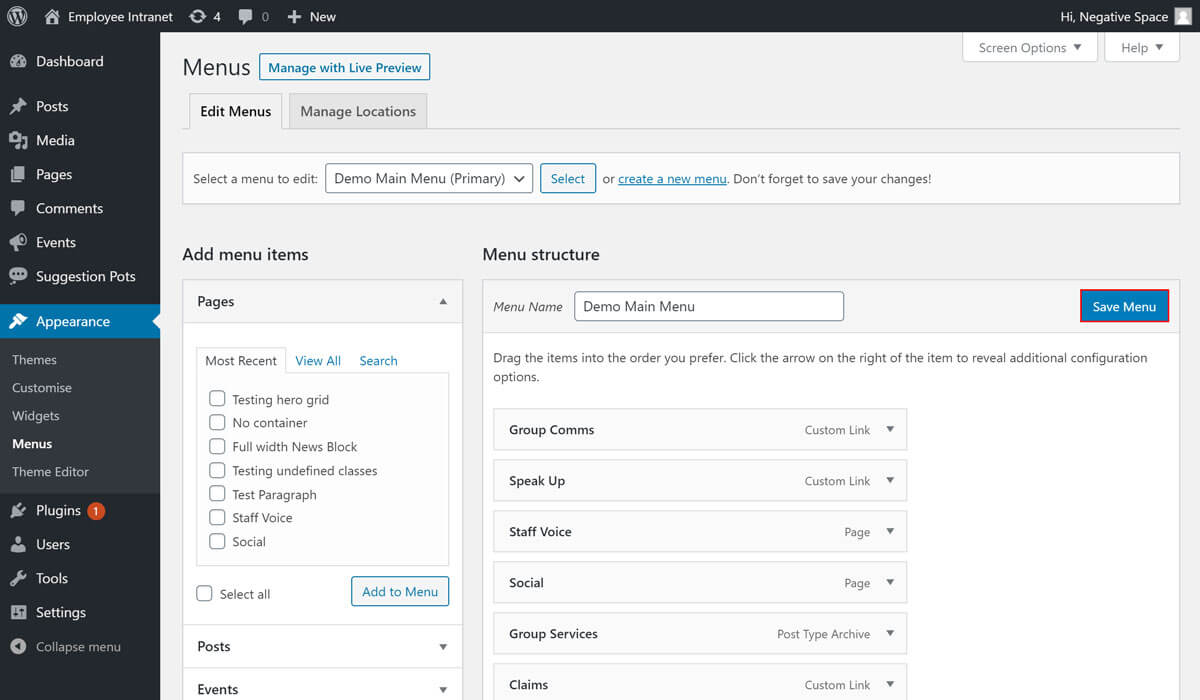
- Click on Save Menu to save the changes