# Adding a category
Categories provide a helpful way to group related posts together.
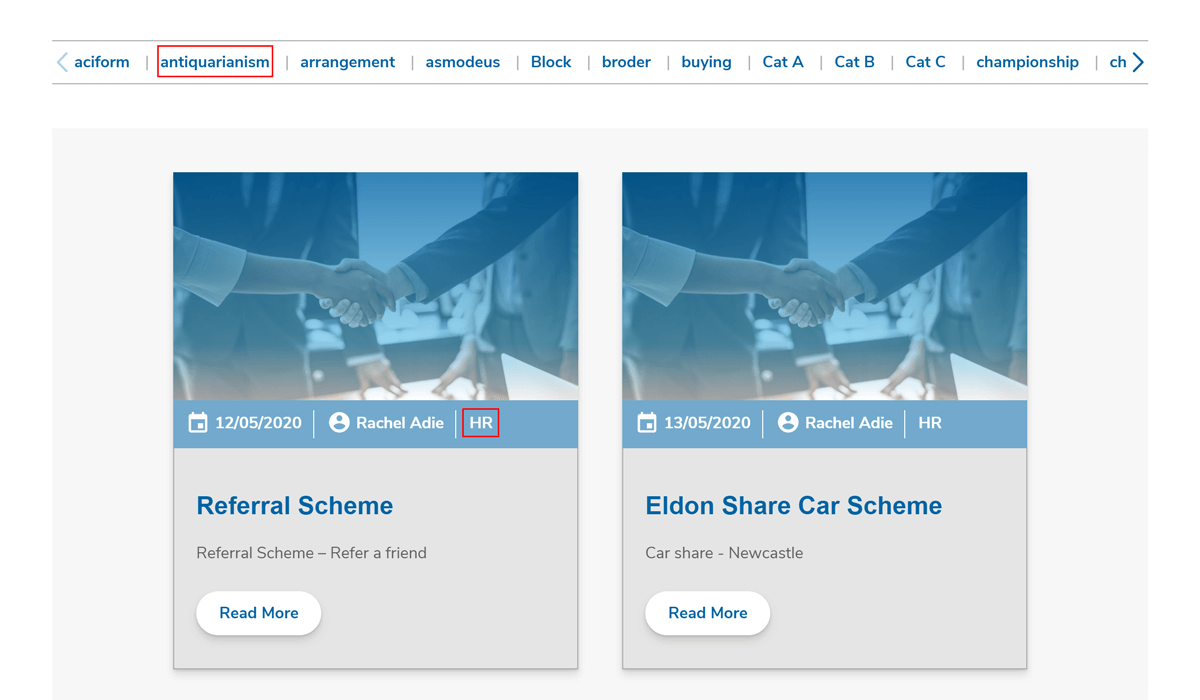
Categories are shown in the Latest News block on the home page and allow the user to filter the posts by that category.
# Creating a new category
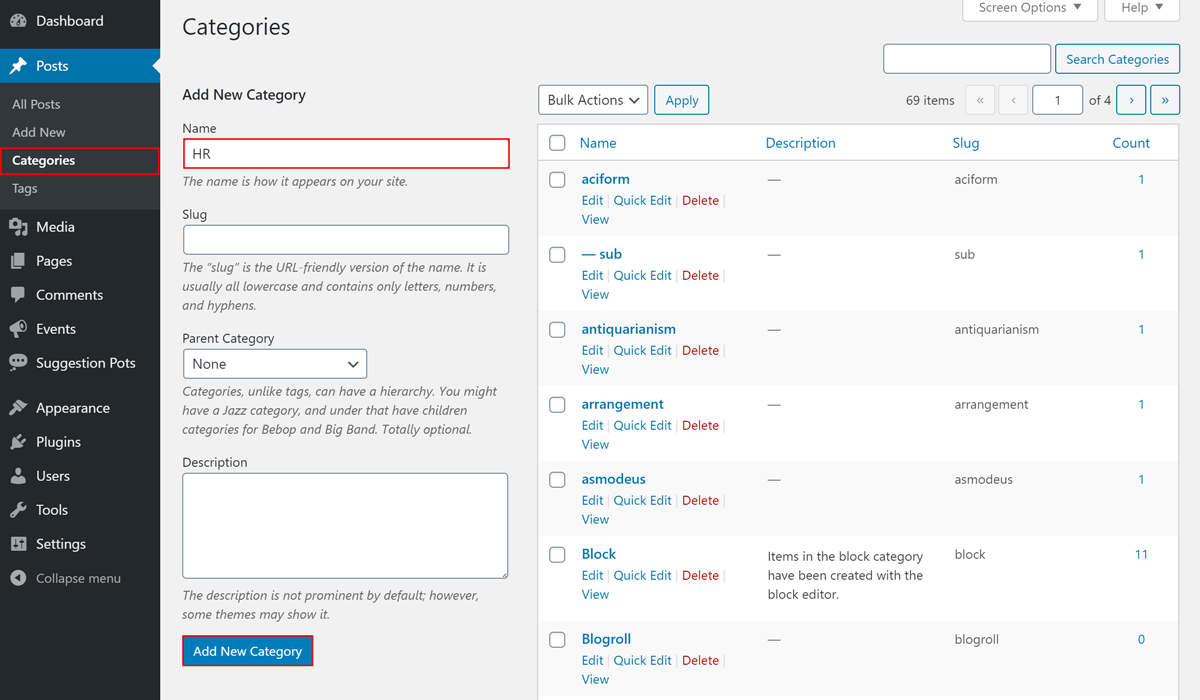
To create a new category:
- Click the Posts tab in the sidebar admin menu
- Click the Categories sub-tab
- Fill in the Name field
- Click on Add New Category
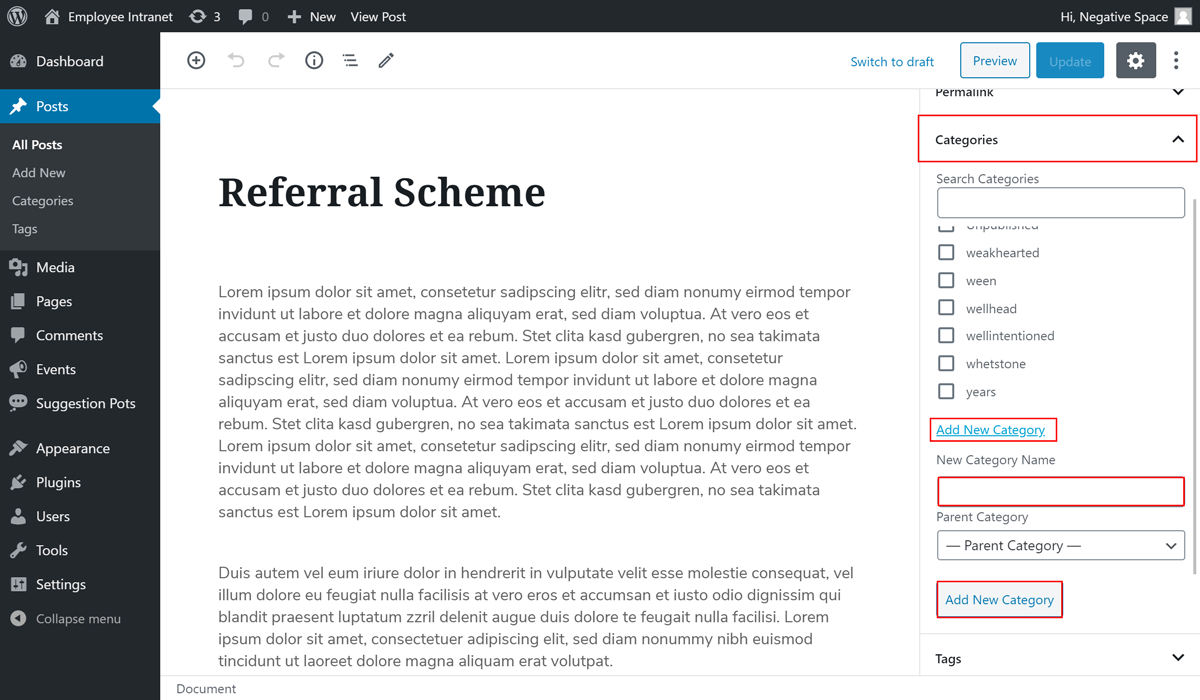
Alternatively, you can add a new category while editing a News article as highlighted below.
# Selecting a category
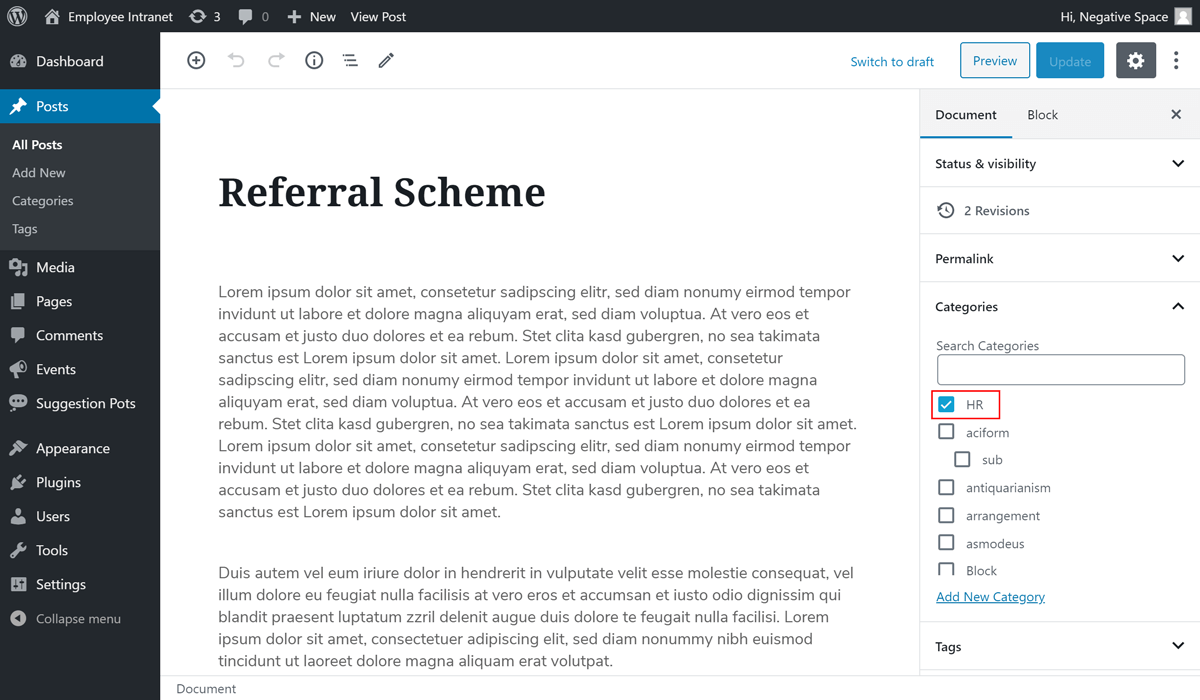
You can assign one or more categories to a post. To do that, simply tick the category checkbox for each category you wish to assign, as highlighted below.