# Adding a Modal
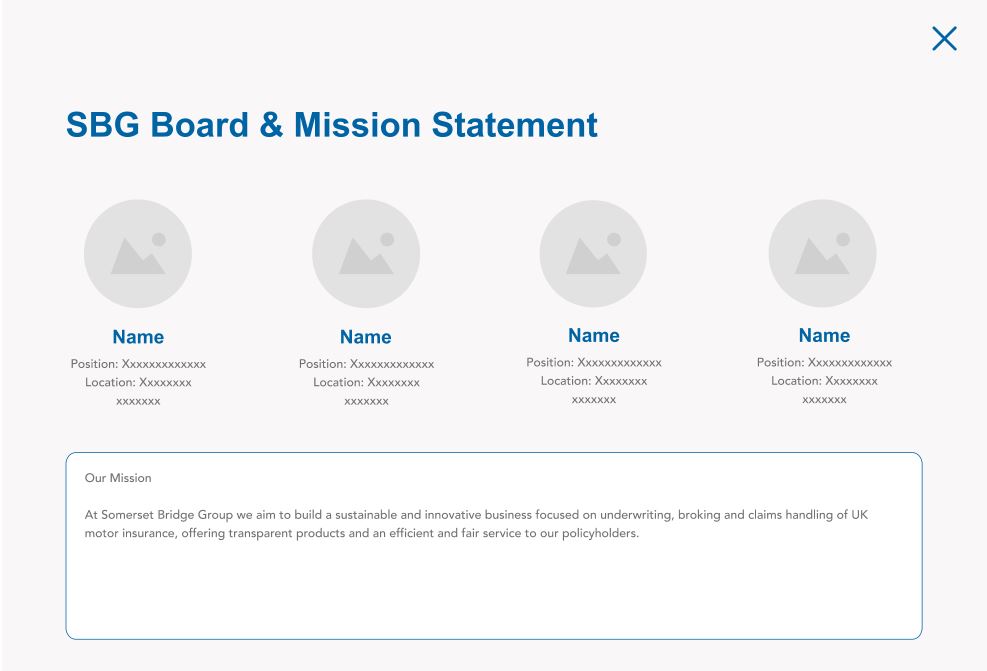
Modals come as part of the custom plugin SBGL Modals and are designed to show further information (team & description) for a Somerset Bridge company.
To add a new Modal:
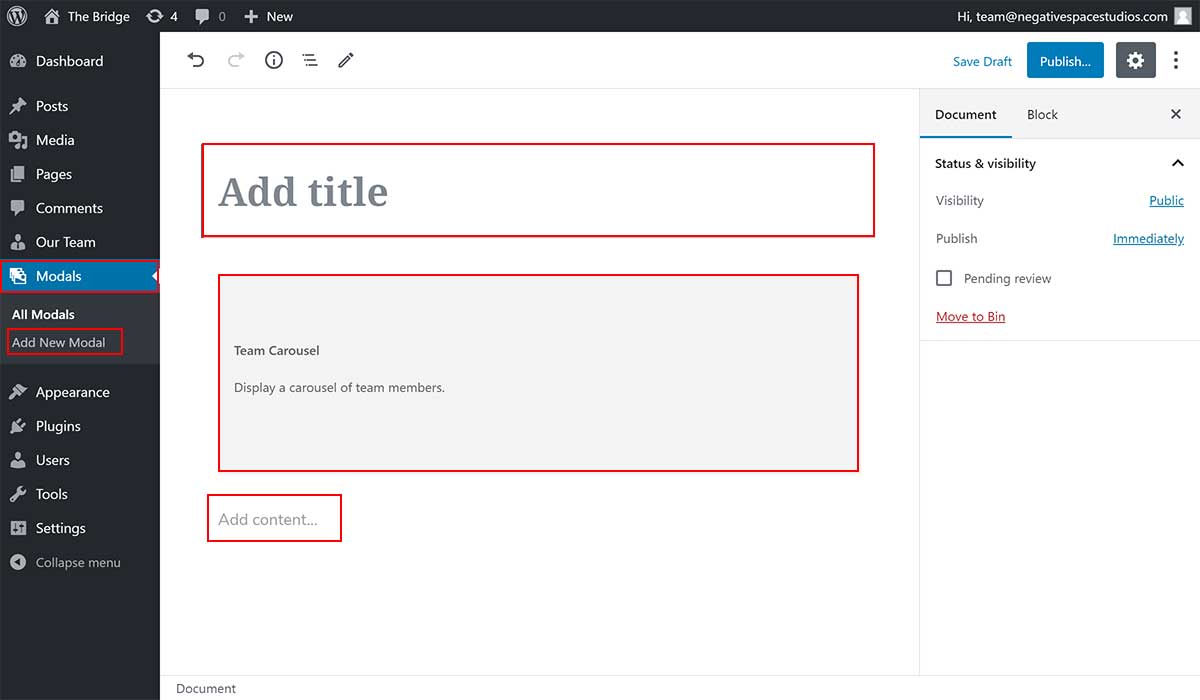
- Click the Modal tab (highlighted below)
- Click the Add New Modal sub-tab (highlighted below)
- Enter the modal title in the "Add title" field (highlighted below)
- Edit the Team carousel settings for the Team carousel block (highlighted below)
- Enter the description in the "Add content" field (higlighted below)
- Click Publish... / Update to save your changes
Example modal output: